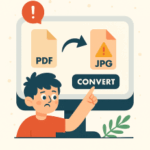
Trying to convert a file from one format to another—say, from PDF to Word, or JPG to PNG—might seem like a simple task. Your first instinct might be to open your browser, type “file converter” into Google, and click the first link that pops up. Quick, easy, done… right?
Not so fast, hero. That shortcut could lead you straight into a trap.
Many online file conversion websites are not what they seem. Behind the slick interface and promises of “free, instant conversion” lurk serious risks that could compromise your data, your privacy, and even your entire system. Here’s what you’re really up against:
Hidden Dangers in Online File Converters
– Malware: Some sites inject malicious code into the files you download, infecting your computer the moment you open them.
– Data Theft: Uploading sensitive documents to an untrusted site can expose personal or business information to cybercriminals.
– Phishing Traps: Fake download buttons and deceptive ads can trick you into clicking links that steal your credentials or install spyware.
All it takes is one careless upload to the wrong site, and you’ve handed over your files—or worse, your entire system—to someone who knows exactly how to exploit it.
So What’s the Safe Way to Convert Files?
Fortunately, there are secure alternatives that don’t put your data at risk:
– Use built-in tools: Many apps already have conversion features. Microsoft Word can save as PDF. Excel can export to CSV. Adobe Acrobat can convert between formats safely.
– Stick to reputable software: Trusted programs like LibreOffice, VLC Media Player, or HandBrake offer reliable conversion without the risk.
– Ask your IT team—or us!: If you’re unsure, reach out to someone who knows. We can recommend or set up safe tools tailored to your needs.
Your Data Deserves Better Than a Guess
When it comes to protecting your files, caution isn’t overkill—it’s common sense. The internet is full of quick fixes, but not all of them are safe. Taking a few extra seconds to choose a secure method can save you hours of cleanup, lost data, or worse.
So next time you need to convert a file, pause before you click. Choose wisely. And if you’re ever in doubt, we’re here to help.