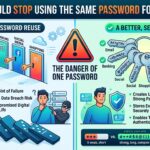
If you only take one piece of cybersecurity advice this year, let it be this: stop using the same password across multiple accounts.
It’s understandable why so many people do it. We all have dozens, if not hundreds, of online accounts. Remembering a unique password for every website sounds almost impossible.
Unfortunately, reusing passwords is one of the biggest security risks facing home users and small businesses today. One compromised account can quickly lead to many others being accessed by cybercriminals.
At Cambridge PC Support, we’ve seen countless cases where a single leaked password has resulted in compromised email accounts, social media profiles, online shopping accounts, and even bank account fraud.
The Problem with Reusing Passwords
Imagine you use the same password for:
Your email account
Amazon
Netflix
Online banking
Shopping websites
At first glance, this seems convenient.
However, if just one of those websites suffers a data breach and your login details are exposed, criminals will immediately try that same email address and password combination on dozens of other websites.
This type of attack is known as credential stuffing, and it’s incredibly common.
The website that gets breached may not be particularly important. The real danger comes from what attackers can access next.
Your Email Account Is the Master Key
Many people underestimate how valuable their email account is.
Once someone gains access to your email, they can often:
Reset passwords on other websites
Read sensitive communications
Access cloud storage
View financial information
Take control of social media accounts
In many cases, compromising an email account is the first step towards taking over multiple online services.
This is why protecting your email account with a strong, unique password is particularly important.
Data Breaches Happen All the Time
You don’t have to do anything wrong for your password to end up online.
Major organisations, retailers, social media platforms, and online services have all suffered data breaches over the years.
Even if a company has excellent security practices, no organisation is completely immune from attack.
The issue isn’t necessarily that your password was weak. The issue is that once it becomes known, any other account using the same password immediately becomes vulnerable.
Strong Passwords Aren’t Enough
Many people believe they’re safe because they use a complex password.
For example:
P@ssw0rd!2024
While complexity matters, it doesn’t solve the problem of password reuse.
If that password is stolen from one website and reused elsewhere, attackers don’t need to crack it. They simply sign in using the password you’ve already created.
Even the strongest password becomes ineffective when it’s used on multiple accounts.
The Safer Approach: Unique Passwords for Every Account
Cybersecurity experts consistently recommend using a different password for every online account.
That way, if one website is breached:
✅ The exposed password only affects that specific account.
✅ Your email remains protected.
✅ Your online banking remains protected.
✅ Your social media remains protected.
✅ Criminals cannot automatically gain access to other services.
This dramatically limits the damage a breach can cause.
“But I’ll Never Remember Them All”
This is where password managers come in.
A password manager securely stores your passwords in an encrypted vault.
Benefits include:
Generating strong passwords automatically
Storing hundreds of unique passwords
Syncing across devices
Auto-filling login details
Reducing the temptation to reuse passwords
Instead of remembering 100 passwords, you only need to remember one strong master password.
Popular password managers make this process remarkably simple.
Enable Two-Factor Authentication (2FA)
Even strong, unique passwords shouldn’t be your only line of defence.
Whenever available, enable two-factor authentication (2FA).
This usually requires:
A code sent to your phone
An authentication app
A security key
A biometric approval
Even if someone discovers your password, they still need the second factor before they can access the account.
For important services such as email, banking, and cloud storage, 2FA is highly recommended.
Warning Signs Your Password Has Been Compromised
You should take action immediately if you notice:
Unexpected password reset emails
Login notifications from unfamiliar locations
Messages sent from your account that you didn’t write
Purchases you didn’t make
Locked accounts
Unusual security alerts
The sooner you respond, the greater the chance of limiting any damage.
What About Password Changes?
You don’t need to change passwords every month simply for the sake of it.
Instead, focus on:
Creating strong passwords
Making them unique
Using a password manager
Enabling two-factor authentication
If a password is suspected to be compromised, change it immediately and avoid reusing it elsewhere.
Small Businesses Are Targets Too
Many small business owners assume cybercriminals only target large organisations.
In reality, attackers frequently target smaller businesses because their security controls are often less sophisticated.
Using unique passwords for:
Email accounts
Microsoft 365
Customer databases
Websites
Remote access tools
Payment systems
can significantly reduce the risk of a wider compromise.
Final Thoughts
Using the same password everywhere might seem convenient, but it’s one of the fastest ways to turn a single security incident into a much larger problem.
A unique password for every account, combined with a password manager and two-factor authentication, provides significantly better protection against modern cyber threats.
It may take a little effort to get started, but it’s far easier than dealing with a hacked email account, stolen online identity, or compromised business data.
Need help improving your online security? Cambridge PC Support can help set up password managers, enable two-factor authentication, secure email accounts, and provide practical cybersecurity advice to help keep your personal and business data safe.